
Ableton announced Live 13 on November 10, 2026. The company says it will be released in early 2027, and a public beta is open now to Live Standard and Suite owners, with seats limited. If you write in Live, the useful question is not the version number. It is which of the new tools actually change the session.
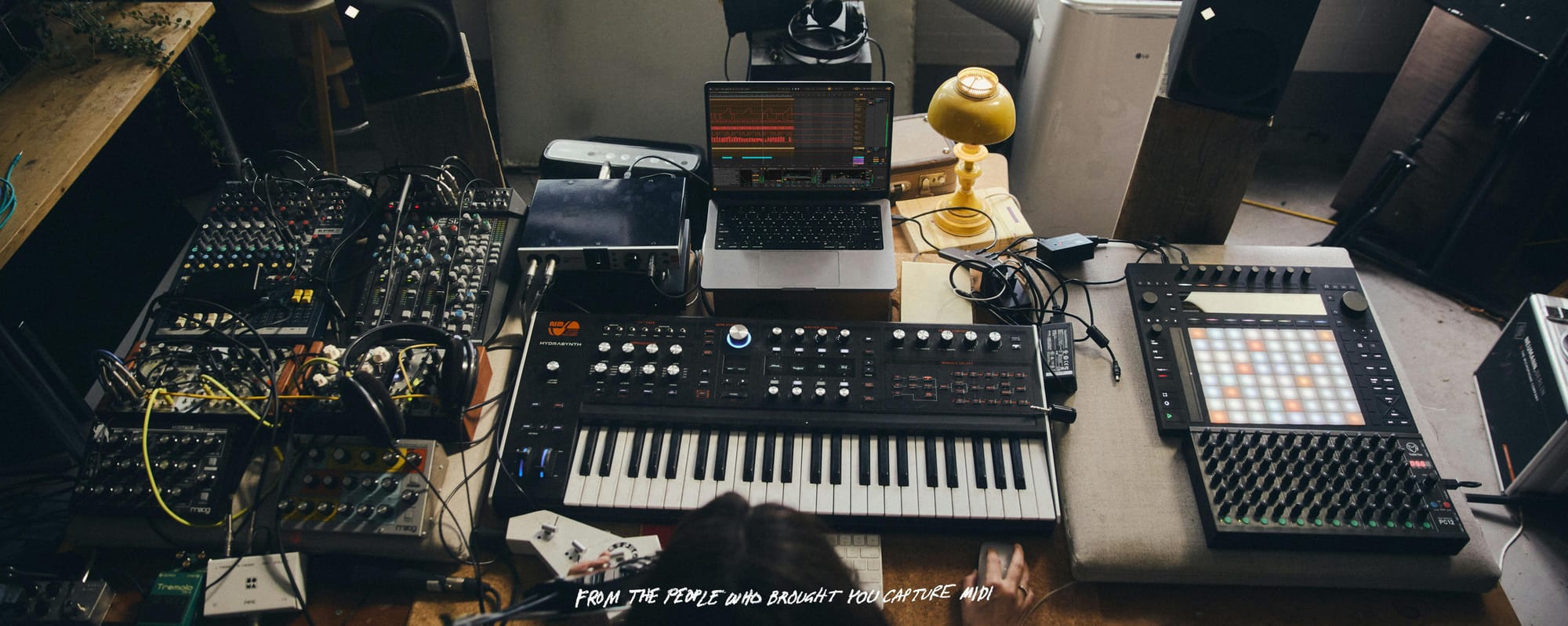
Ableton's own FAQ puts it simply: everything you can do in Live 12, you can still do in Live 13. Around that familiar workflow, the update adds a built-in Step Sequencer, ARA 2 audio editing, Capture Automation, deeper Racks, and a set of Suite-only sound-design and mix tools. For electronic and ambient work, a few of those are more than incremental.
Capture Automation, the Step Sequencer and ARA 2
Capture MIDI already saved the notes you played before you hit record. Live 13's release notes extend that idea to movement. After you improvise on a device or mixer control, you press Capture, or the N shortcut, and Live turns those gestures into automation you can edit. It works on all tracks, including audio and return tracks, and it can grab several parameters at once as long as they are on the same track. You can do it with the mouse, the keyboard, Push, or a MIDI controller. The Capture button has also moved, and now sits in the transport bar next to Arrangement Record. If your writing style is to wander on a filter or a send and only later decide the move was the part, this is the feature that changes the loop.
The new Step Sequencer is a different kind of clip, not just a view on a MIDI clip. It can be 8, 16, 32, 64 or 128 steps long, and each row can have its own length, step rate and play direction, which is how you get evolving polyrhythms inside one clip. You can edit a step's velocity, offset, length, repeat, pitch and chance, then convert the sequence to a regular MIDI clip, or the other way around. Ableton's official page describes it as a way to make beats, melodies and polyrhythms. It will matter most if you build drums and ostinatos in Live rather than recording every part by hand.
ARA 2 support lets compatible audio-editing plug-ins, including Melodyne, work directly on clips in Arrangement View. Live 13 Suite includes Melodyne essential. One important limit, from both the FAQ and the release notes: ARA is not supported in Session View, and only one ARA plug-in can be used at a time, across multiple clips and tracks. When you are done, you can bounce the edits back to audio. Contextual Browsing is the quieter workflow change, letting you add devices and swap presets from the device chain or the mixer without going back to the main browser.
Looplet, envelope clips and bigger Racks
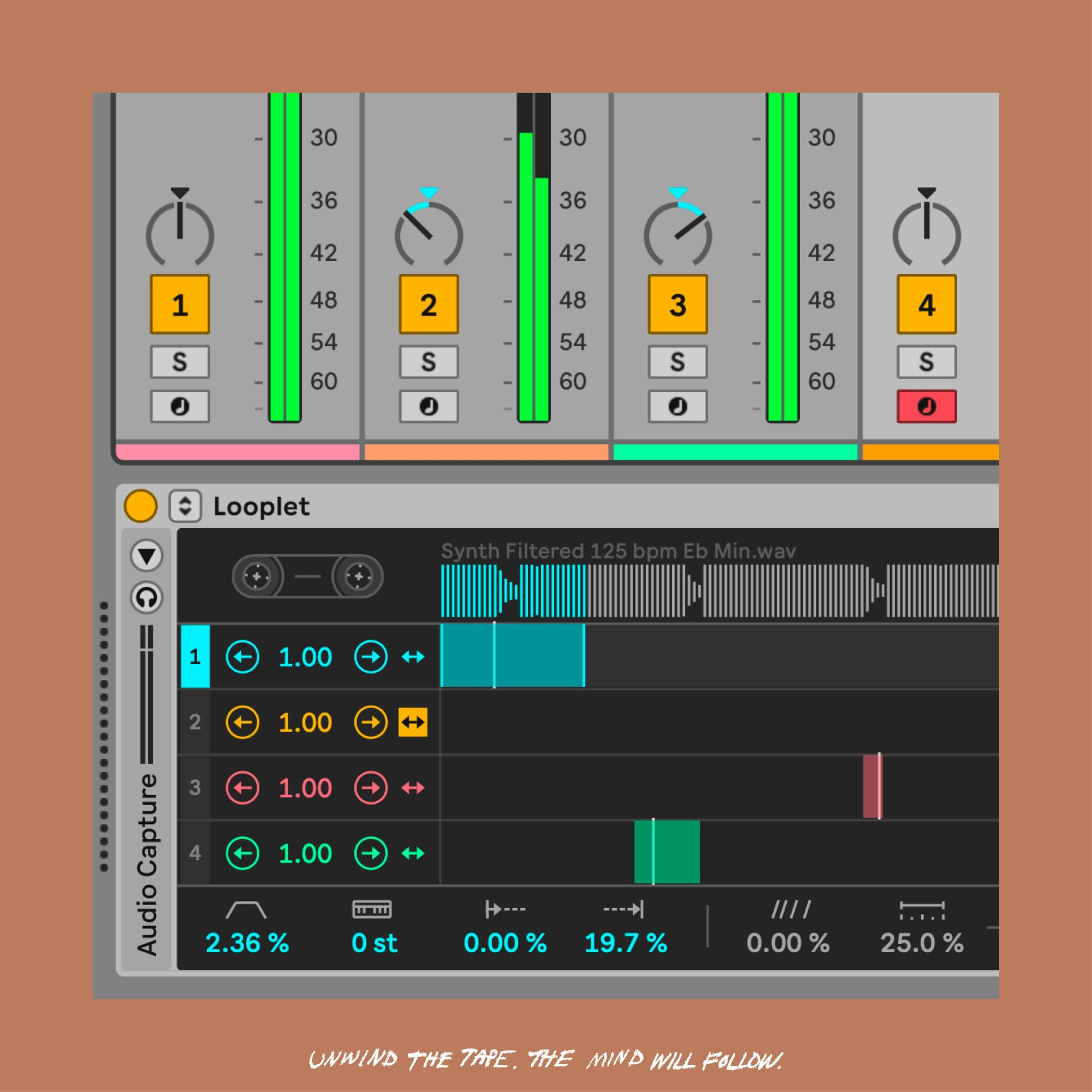
If you make ambient or textured electronic music, start with Looplet. It is a Max for Live device, included as a pack with Live 13 Suite, built around four playheads that loop different parts of a single unwarped sample. The official release notes say it is ideal for crafting evolving ambient textures and loops. It also recreates tape stop and reverse artifacts, and it can do granular playback and ping-pong looping. You can capture audio directly into it. That is a very Live way to treat a single recording as a playable, grid-free instrument, and it is the clearest new sound-design tool in this version.
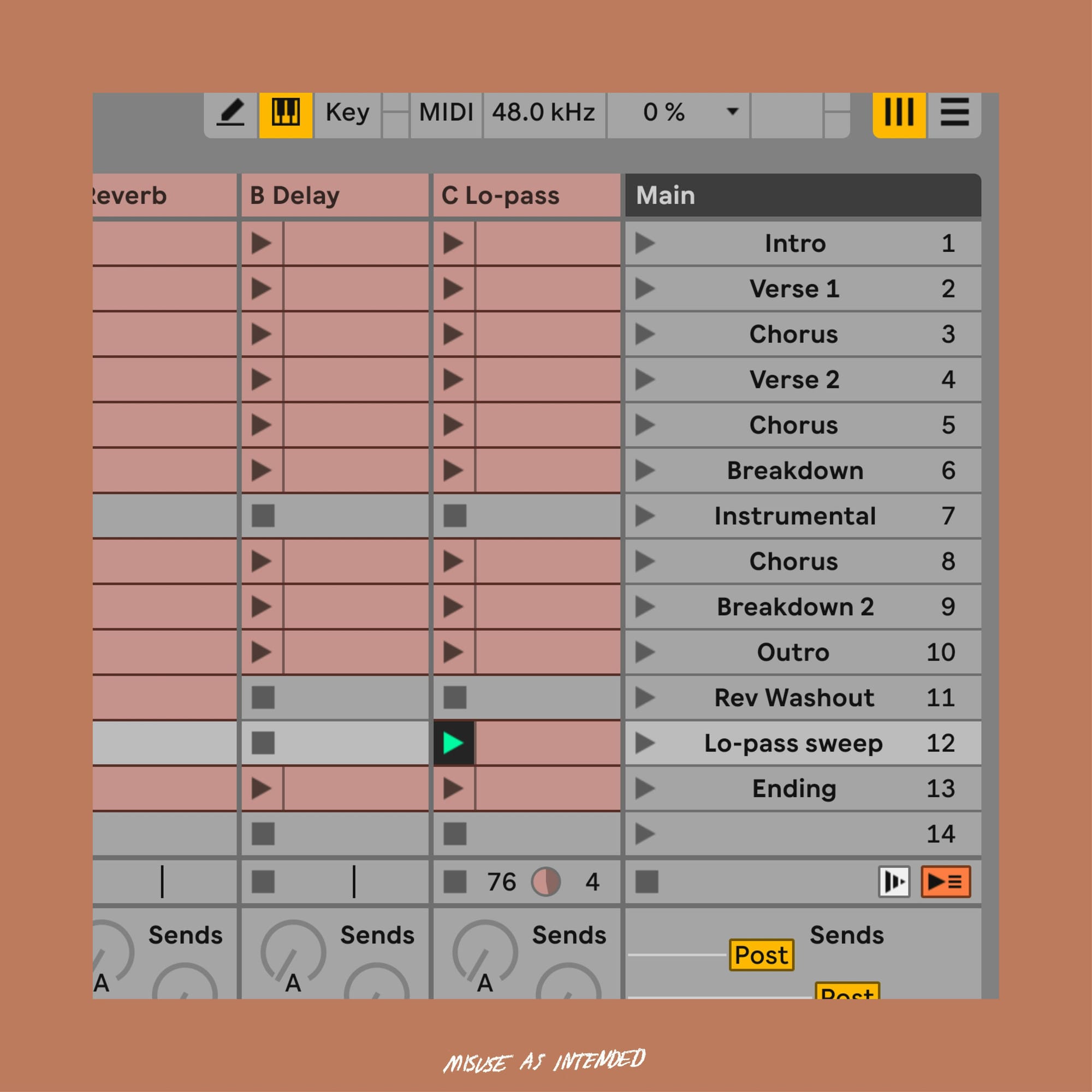
Envelope clips on return tracks fill a long-standing gap. You can now automate and modulate the effects and mixer settings on a return, in Arrangement View and in Session View, including different device parameters per scene. Official notes also mention Follow Actions and unlinked envelopes for less predictable results. If your mix is built on a reverb and a delay sitting on returns, this is the one that changes how those tails move.
Racks get more serious as instruments. You can assign up to 32 Macros, give each mapping its own curve, add buttons for on and off, map by dragging, and cycle notes through chains with Round Robin on Instrument and MIDI Effect Racks. Drum Synth is a new instrument with more than 20 drum engines across nine sound types, from kick and snare through cymbal and FX, and it can live in a Drum Rack or be played melodically as a monophonic instrument.
The mix, Push, editions and the upgrade path
For mixing, Live 13 adds Multiband and Mid-Side Racks, so you can split processing by frequency or by the center and sides of the stereo field, and Device Slots in the mixer, so you can see, toggle and reorder devices without stepping through tracks one at a time. Suite also gets Transient Shaper and Clipper, plus the Classic Dynamics and EQ Pack by Softube, five Max for Live effects modeled on classic studio hardware. The Core Library has been refreshed with fewer, clearer presets, including starting points for vocals, guitars, mixing and mastering. Elsewhere, you can export a tempo and time-signature map with your audio, sync Arrangement position over Ableton Link, and export MIDI at 480 ticks per quarter note instead of 96.
On Push 3, Live 13 adds Custom Layouts that combine playing, clip launching and XYZ control on one surface, a playable version of the Step Sequencer with Expressive Step Editing, a Performance Mixer, and Device Mode upgrades that can show up to 32 Rack Macros. Push 2 gets the new Step Sequencer and most of the Device Mode improvements, but not Custom Layouts, the Performance Mixer or Expressive Step Editing.
Live 13 still comes in Intro, Standard and Suite. They share the same core workflow. Intro is limited to 16 tracks and scenes. Standard allows unlimited tracks and scenes, and adds more instruments, effects and sounds. Suite includes everything in Standard, plus Max for Live, the complete instrument and effect collection, and the full Core Library. Looplet, Melodyne essential, Clipper, Transient Shaper and the Softube pack come with Suite. On Mac, the release notes say Live 13 is only supported on macOS Sonoma or higher. The beta is for owners of Live 7 through 12 Standard or Suite, and seats are limited, through the Ableton beta program.
There is no final day-and-date yet, only "early 2027." Until then, Ableton says you can buy or upgrade to Live 12 and receive the corresponding Live 13 edition when it is released, and that existing Live 12 licenses can pre-order Live 13. See the current options in your account on the official Ableton shop, and compare the editions there. For more on the hardware around Live, we have a standalone guide to Ableton Push 3 and a look at the Novation Launchpad X. Broader studio coverage lives in the Home Studio Hub.
Our call: upgrade if Suite is already your instrument, wait if Live 12 still fits. The features that change how you write are Capture Automation, envelope clips on returns, the deeper Racks, and, if you are on Suite, Looplet. Those are worth taking when Live 13 ships, and worth trying in the beta if you can get a seat. If you are on Standard, the Step Sequencer, ARA 2, Capture Automation and the Rack updates are the reasons to move; Looplet and the new dynamics tools stay in Suite. If you are happy in Live 12 and do not need those, there is no reason to live in a beta until the early 2027 release. Confirm you are on macOS Sonoma or higher before you jump.