An audio interface is the box that sits between your microphone, guitar or synthesizer and your computer. It does three jobs: it gives you a clean preamp to boost quiet signals like microphones, it converts that analog signal into digital audio, and it sends sound back out to your speakers and headphones with very little delay. Your laptop's built-in sound card can do none of those well, which is why even a basic interface makes home recordings sound dramatically better.
The market is crowded, and most of the boxes look alike. This guide narrows it to five two-channel interfaces from makers with a proven track record, with what each one actually does and who it suits. All of them run on power from your computer's USB port, so there is no extra power brick to find.
Related reading: Teenage Engineering EP-35 Is a Guitar Amp, Mic Amp and Bluetooth Speaker in One Box and What Is a DI Box and Do You Need One? A Plain English Guide.
Unknowndivide may earn a commission from purchases made through links in this guide. As an Amazon Associate we earn from qualifying purchases.
The quick answer
- One voice or one guitar: the Focusrite Scarlett Solo.
- Two inputs, most people: the Focusrite Scarlett 2i2, with Auto Gain and Clip Safe.
- Levels set for you: the Audient EVO 4 and its Smartgain.
- Metering on the box: the MOTU M2 and its full color screen.
What to look for
Start with inputs. If you record one voice or one instrument at a time, a single mic input is enough. If you want to record two sources together, such as a vocal and a guitar or a stereo keyboard, you need two. Check that at least one input has a "Hi-Z" or instrument setting, which lets you plug a guitar or bass straight in without a separate box.
Next, look for phantom power. Condenser microphones need 48 volts to operate, and every interface here provides it. Also check for direct monitoring, which lets you hear yourself in your headphones with no delay while you record, and for a software bundle, because most of these include a basic recording program so you can start on day one.
Best for one voice or one guitar: Focusrite Scarlett Solo
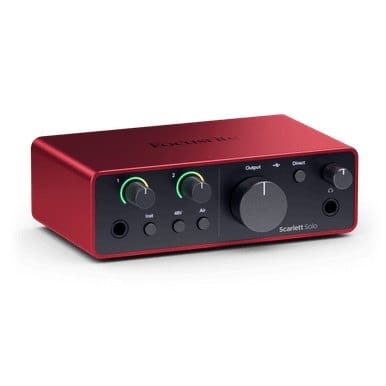
The Scarlett Solo is the simplest way to get good sound into a computer. It has one microphone preamp, one dedicated instrument input, 24-bit/192 kHz conversion and a headphone output that Focusrite says drives high-impedance headphones louder and clearer than before. Two "Air" modes, Presence and Harmonic Drive, add a brighter or punchier character to the signal. It is bus powered over USB-C and ships with the Hitmaker Expansion software bundle, plus Pro Tools Intro+, Ableton Live Lite and Cubase LE. If you are a singer-songwriter, a podcaster or a guitarist who works alone, the Focusrite Scarlett Solo (4th Gen) is the easy choice.
Best all-rounder: Focusrite Scarlett 2i2
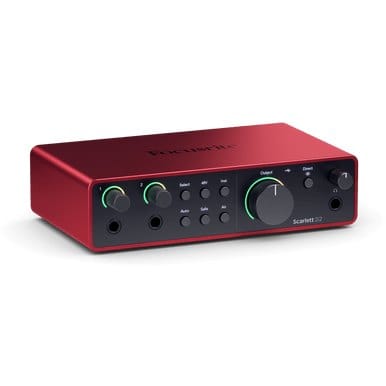
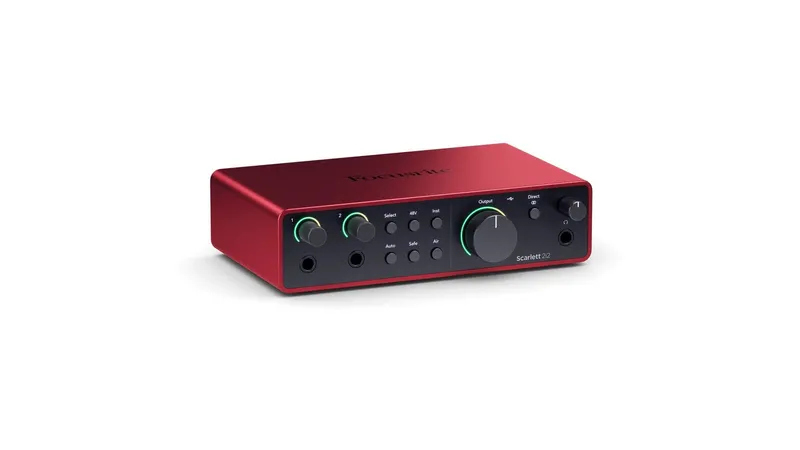
The Scarlett 2i2 adds a second mic preamp and two front-panel line and instrument inputs, so you can record two sources at once. Focusrite built in Auto Gain, which listens to you for ten seconds and sets your level, and Clip Safe, which turns the gain down automatically if you are about to distort. Each input has up to 69 dB of gain, so quiet microphones are no problem, and the preamps can be controlled remotely from the Focusrite Control 2 software. It also has the same Air modes as the Solo and the same USB-C bus power. The Focusrite Scarlett 2i2 (4th Gen) is the one most home studios start with, and it is easy to see why.
Best for beginners who hate setting levels: Audient EVO 4
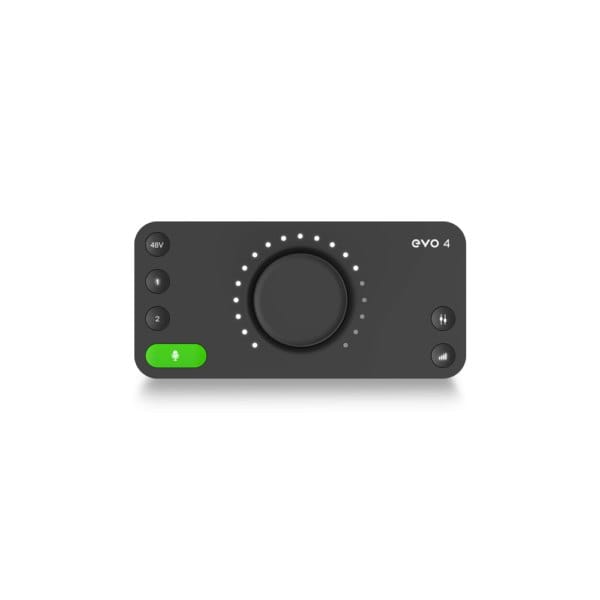
Audient made its name building large recording consoles, and the EVO 4 is its entry-level interface. It has two EVO mic preamps, a JFET instrument input, 24-bit/96 kHz conversion and a USB-C connection. Its signature feature is Smartgain, which analyzes your signal and sets the gain on both inputs at once. It also has monitor mix and pan controls and an audio loopback mixer that lets you capture sound from your computer, which suits streamers and podcasters. The Audient EVO 4 is small, simple and well built.
Best for headphone listening: Audient iD4 MKII
Step up from the EVO line and you reach the iD4. The MKII has one Audient Console mic preamp with 58 dB of gain, a JFET instrument input, an all-metal body, and a big Scrollcontrol knob that handles volume and other functions. It also has two headphone outputs, so you can share a mix with a collaborator, and it supports 24-bit/96 kHz recording over USB-C, with iOS compatibility. It is a one-mic box that feels like a miniature mixing desk. The Audient iD4 MKII is for people who want solid hardware and a great preamp over lots of inputs. Audient has also announced the iD MK3 range, and the iD4 replacement, the iD1, is due in early 2027.
Best for sound quality and metering: MOTU M2
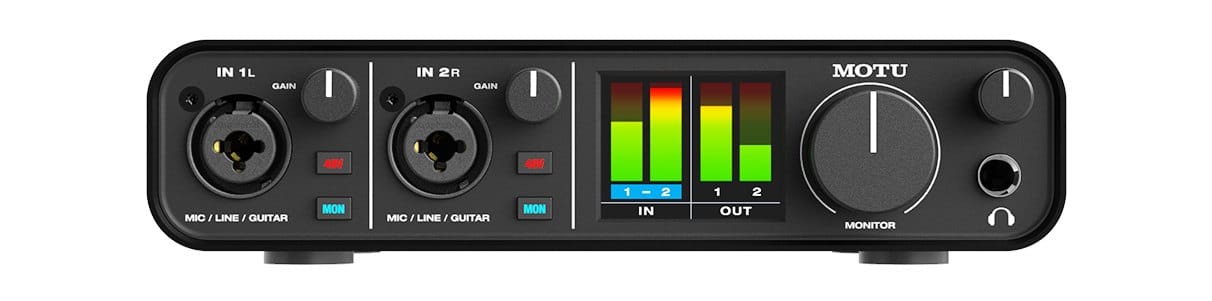
The MOTU M2 has two mic, line and instrument inputs, two balanced outputs, MIDI in and out, and independent 48 V phantom power on each channel. MOTU says its ESS Sabre32 Ultra DAC delivers 120 dB of dynamic range on the main outputs and the preamps reach a measured EIN, or equivalent input noise, of -129 dBu, which is very quiet. Its full-color screen shows level meters for every input and output, which is rare in this class, and round-trip latency is as low as 2.5 milliseconds at 96 kHz. It comes with Performer Lite and Ableton Live Lite. The MOTU M2 is the pick for people who care about the numbers and want to see their levels at a glance.
The five interfaces at a glance
| Interface | Mic preamps | Recording | Standout | Best for |
|---|---|---|---|---|
| Focusrite Scarlett Solo | 1, plus an instrument input | 24-bit/192 kHz | Air modes, USB-C bus power | Solo singers and guitarists |
| Focusrite Scarlett 2i2 | 2 | 24-bit/192 kHz | Auto Gain, Clip Safe, 69 dB of gain | Most home studios |
| Audient EVO 4 | 2 | 24-bit/96 kHz | Smartgain, loopback for streaming | Beginners and podcasters |
| Audient iD4 MKII | 1 | 24-bit/96 kHz | Two headphone outputs, metal body | Headphone listening |
| MOTU M2 | 2 | 24-bit/192 kHz | Color metering screen, 120 dB DAC | Sound quality and metering |
How to choose
If you record one source at a time, pick the Solo or the iD4 MKII. If you want two inputs, the 2i2, the EVO 4 and the M2 are all good, and the choice comes down to features: Auto Gain and Clip Safe on the Focusrite, Smartgain on the Audient, and the display on the MOTU. Whatever you choose, install the maker's driver and software first, then plug in the interface. Deciding between Focusrite models? Read our Scarlett Solo vs 2i2 vs 4i4 comparison.
Once you have an interface, the rest of the studio is cheap to build. Our home studio starter gear guide covers the other essentials, and the best studio headphones will give you something to monitor on. If you want to capture sound outside the room, see the best field recorders for musicians, and when your tracks are done, how to release your music on streaming explains the next step.
Our call: buy the Scarlett Solo if you record one voice or one guitar at a time, and the Scarlett 2i2 if there is any chance you will need two inputs. Pick the MOTU M2 if you want proper metering on the box. Skip the jump to a bigger interface until you actually record a band.
Frequently asked questions
What does an audio interface do?
Three jobs: it gives you a clean preamp for quiet signals like microphones, converts that analog signal into digital audio, and sends sound back out to your speakers and headphones with very little delay.
Do I need phantom power?
Only for condenser microphones, which need 48 volts to operate. Every interface in this guide provides it.
How many inputs do I need on an audio interface?
One mic input is enough if you record one voice or instrument at a time. To record two sources together, such as a vocal and a guitar, you need two.
What is the best audio interface for one voice or one guitar?
The Focusrite Scarlett Solo. It has one microphone preamp and one dedicated instrument input, and it runs on power from your computer's USB port.
More in our home studio hub.